Begin in Support
Open Resources and select Support when you need guidance about access, subscriptions, content or a technical issue. The Support overview combines a Search support field with help pages and a navigation tree.
Start with the help pages when your question is about how a feature works. Choose Contact us when the answer depends on your account, institution, subscription or a specific problem that the documentation cannot resolve.
Search the help articles
Enter a concise phrase in Search support—for example, `access`—and select the search control. PEP returns matching help-page titles with their descriptions. Topic tags and breadcrumb context also contribute to matching, even when they are not displayed as separate result fields.
Select the most relevant title. If no results are found, simplify the query or use Contact us rather than repeatedly adding more words.
Navigate a support article
On desktop, use the support navigation beside the article. On mobile, open Support navigation. Breadcrumbs show the article’s main topic; FAQs and Tutorials provide other routes to the same guide.
Use the breadcrumb for a broader section and the navigation tree for a neighbouring page. Links at the end of an article can take you to the next practical task.
Contact the support team
Select Contact us from Resources or the Support area. The form asks for Email, Topic, Subject and Message. Full name and Related URL can add useful context.
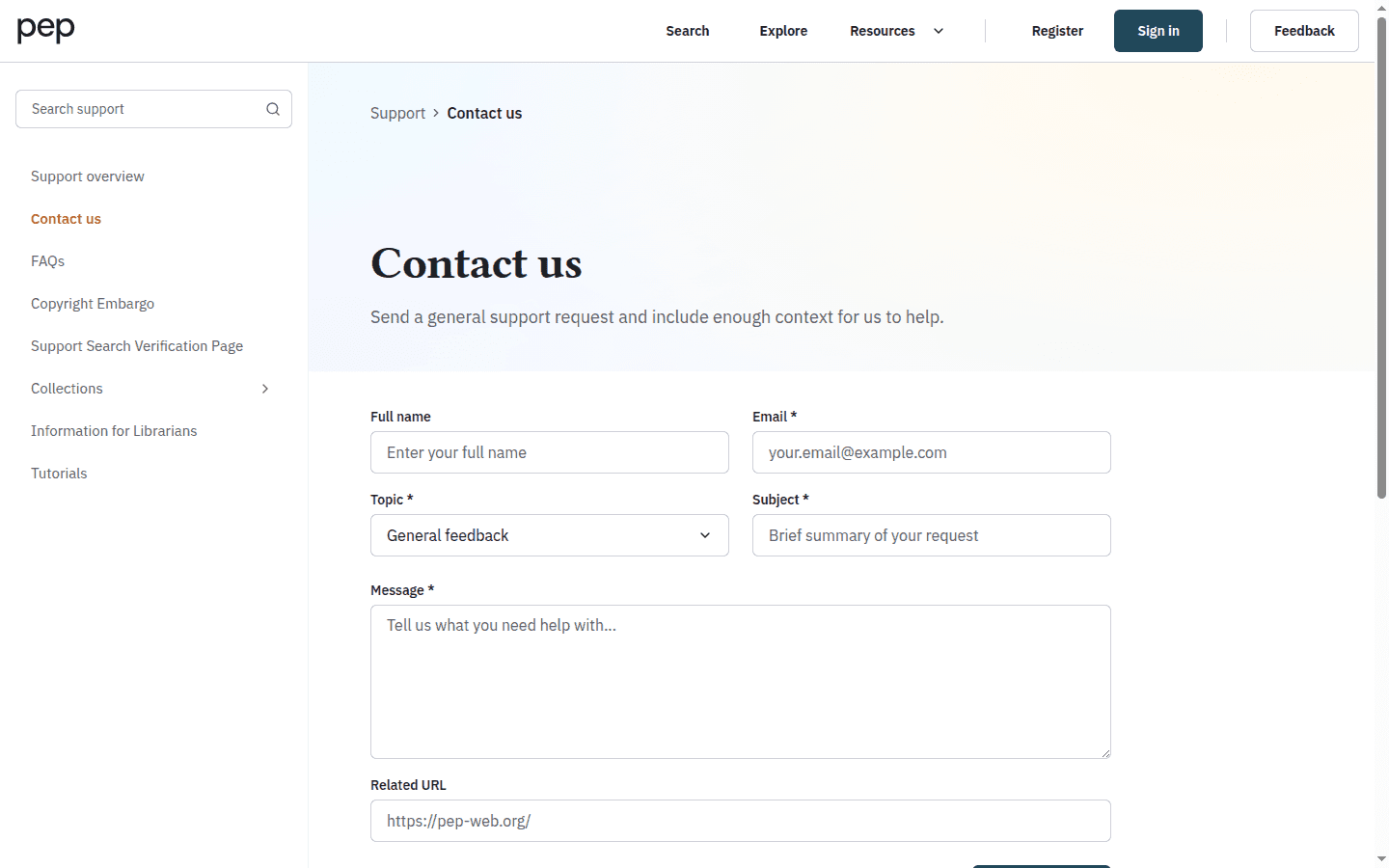
Choose the Topic that best describes the request, then write a short Subject and a specific Message. For an access problem, include how you signed in and the access notice you saw, but never send your password. For incorrect bibliographic or content data, choose Content or data issue and identify both the current information and the correction you expect.
Add Related URL when the issue concerns a particular page. Review the form, then select Send request. Wait for the on-screen confirmation before leaving the page.
Send feedback from the current page
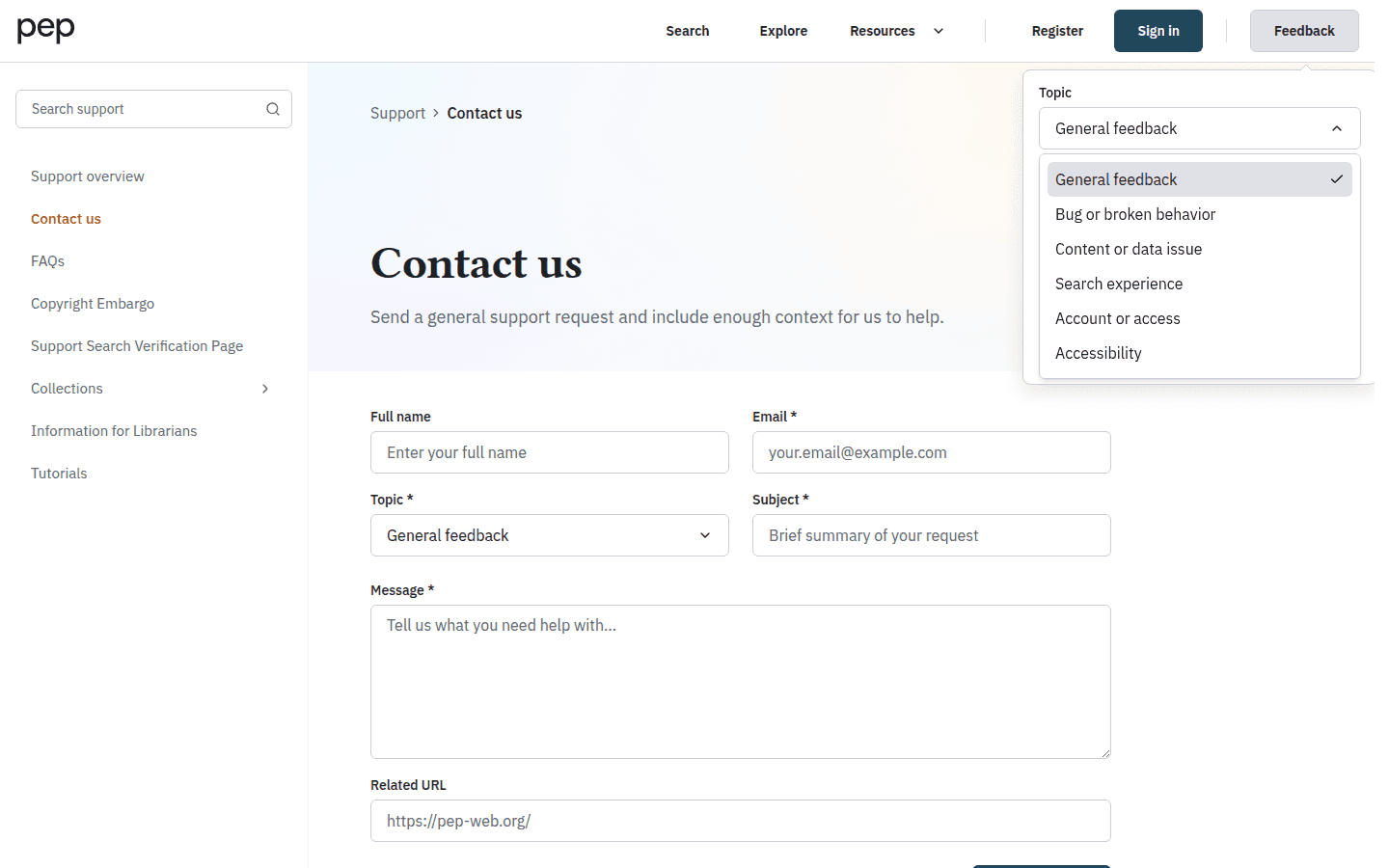
Select Feedback in the header when you want to comment on the page you are using. Choose a Topic—General feedback, Bug or broken behavior, Content or data issue, Search experience, Account or access, or Accessibility—then enter your Feedback.
Suggest new content
Use Contact us to suggest a journal, book or video. Include the title, author or editor, publisher, date and a link or identifier where possible; explain why it would be useful. A suggestion is not a commitment that PEP can obtain the rights. Authors, editors and publishers making a formal supply or rights enquiry should use the publisher information rather than treating it as a reader suggestion.
Describe the steps that led to the issue and the visible result. The submission includes context about the current page, which helps the team locate the problem. Select Send when the report is ready; use Cancel to close the form without submitting it.
Contact us is the better route when you need a support reply or must provide fuller account and access context. Feedback is the quicker route for a product observation or page-specific problem.
Report an interruption clearly
When several features appear unavailable, note the time, affected URL and the action that produced the problem. Return to Support and use Contact us so that the team can distinguish a wider interruption from an issue limited to one account, browser or page.
Next steps
Return to Getting Started with PEP for the main navigation and access controls. Searching the PEP Archive, Reading and Navigating a Document and the other tutorials provide task-specific help that you can search from the Support overview.